Voice Recorder
Application Screenshots & Interface
Click screenshot to enlarge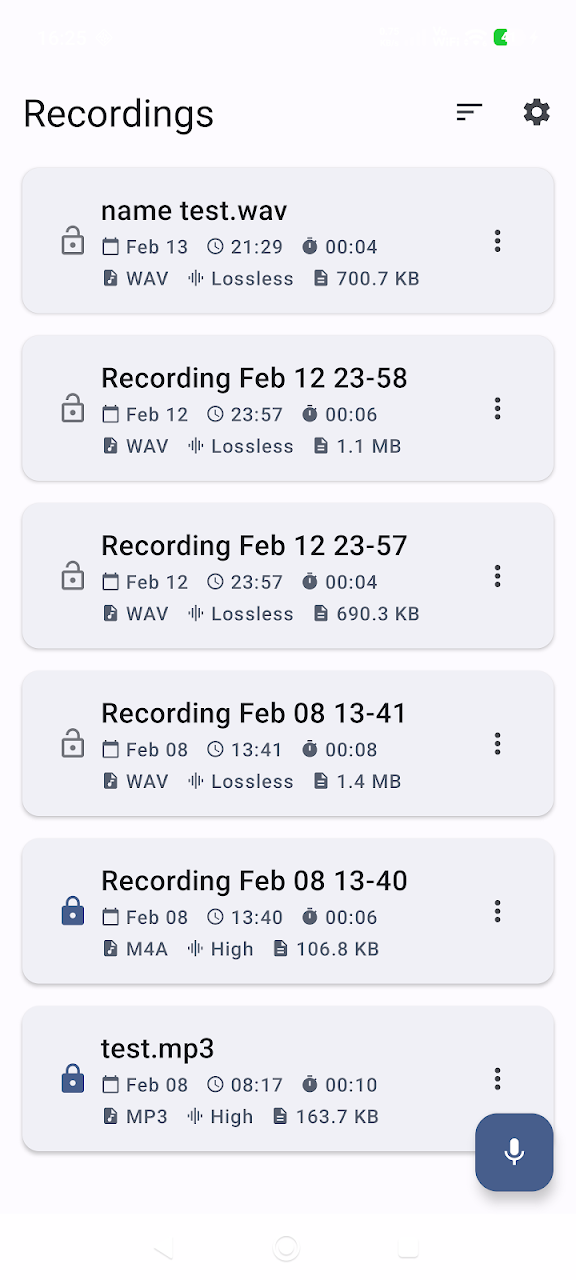
About Voice Recorder
Unlock the full potential of your device’s microphone with Voice Recorder – the ultimate tool for high-quality audio capture and management.
Whether you are a student recording long lectures, a journalist conducting interviews, a musician capturing a new melody, or a professional documenting business meetings, our app is designed to deliver crystal-clear sound with an intuitive, modern interface.
🎙️ Powerful Recording Features
- High-Fidelity Sound: Choose from multiple formats including MP3, M4A, and WAV. Experience studio-like quality with Lossless (WAV) recording.
- Smart Noise Suppression: Eliminate background distractions and environmental noise automatically during recording for professional results.
- Silence Skip: Save storage space and time by automatically skipping silent parts during the recording process.
- Stereo & Mono Support: Capture immersive audio with Stereo Recording (on supported hardware) for a wider soundstage.
- Keep Screen On: Prevent your device from sleeping while recording, ensuring you never miss a second of an important session.
✂️ Built-in Audio Editor & Player
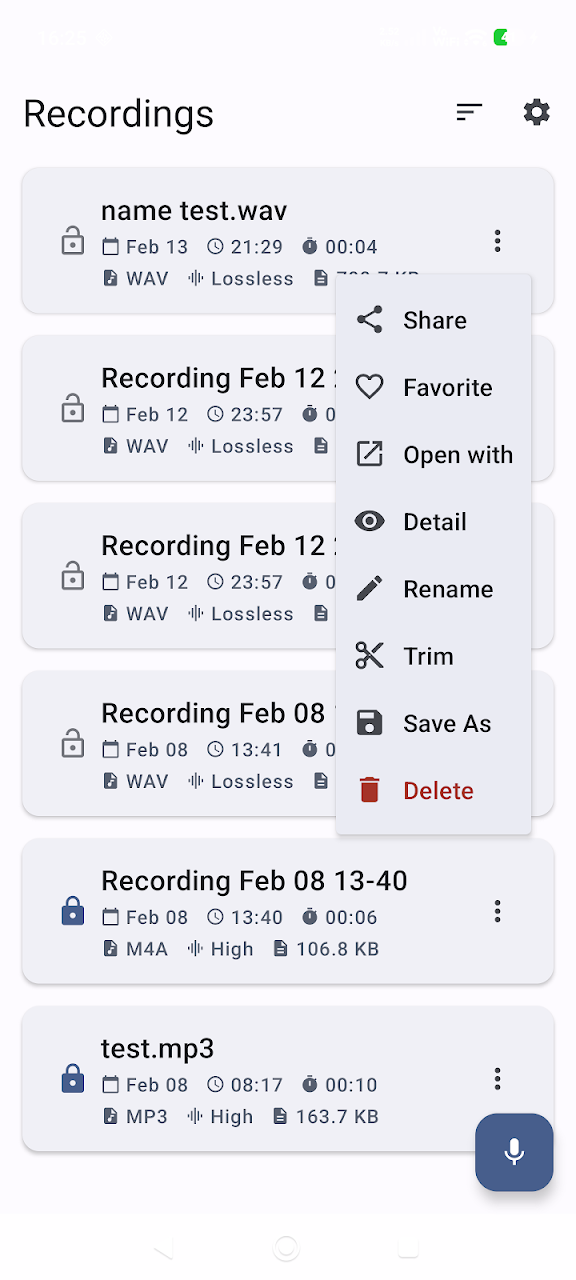
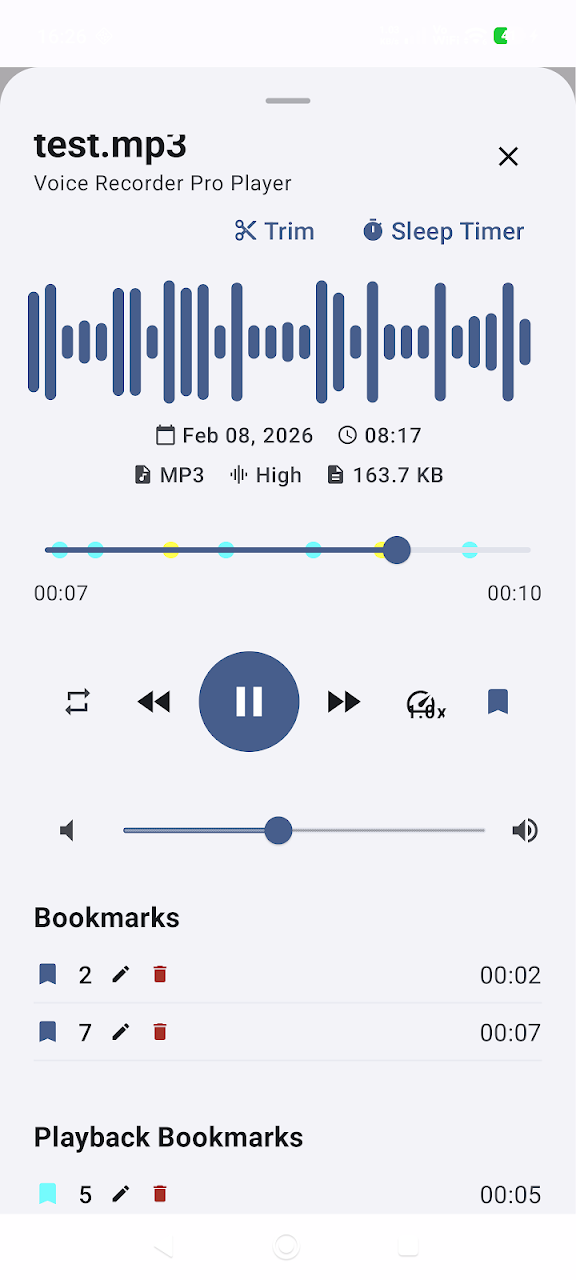
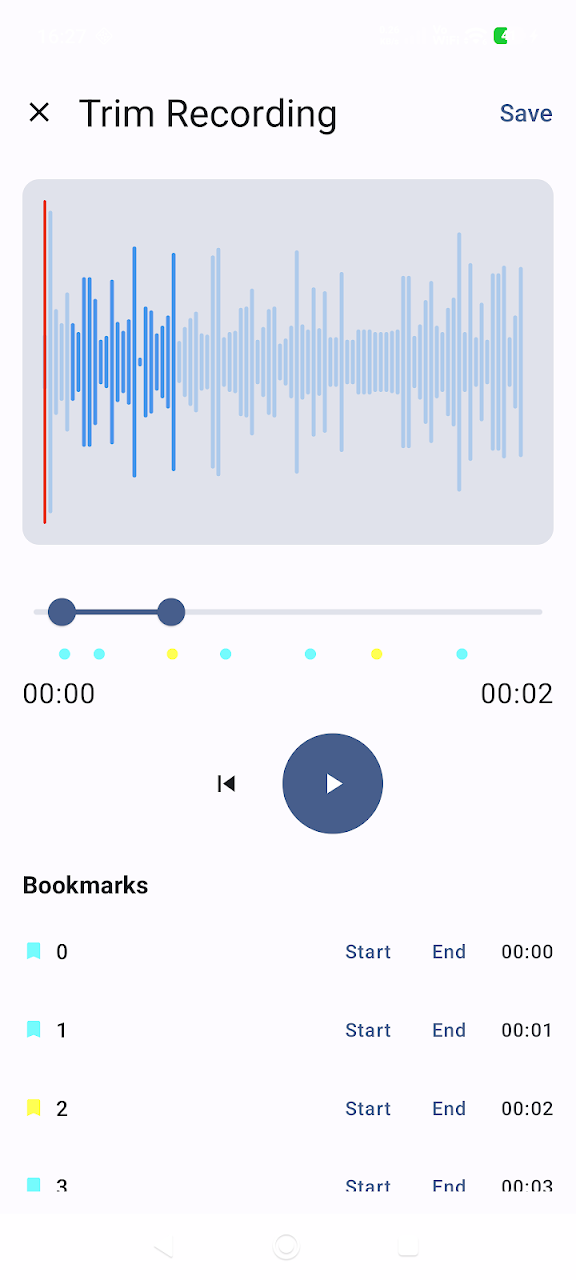
- Precision Trimming: Use the integrated Trim Tool to cut out unwanted sections or extract specific parts of your audio files.
- Real-time Waveform: Visualize your sound with a beautiful, responsive waveform during both recording and playback.
- Advanced Player: Take control with playback speed adjustment, a Sleep Timer for night-time listening, and easy navigation.
- Bookmarks & Playback Bookmarks: Mark key moments while recording or during playback to jump back to important segments instantly.
📂 Smart File Management
- Recycle Bin: Deleted a file by mistake? Our Recycle Bin protects your data for 30 days, allowing you to restore deleted recordings with one tap.
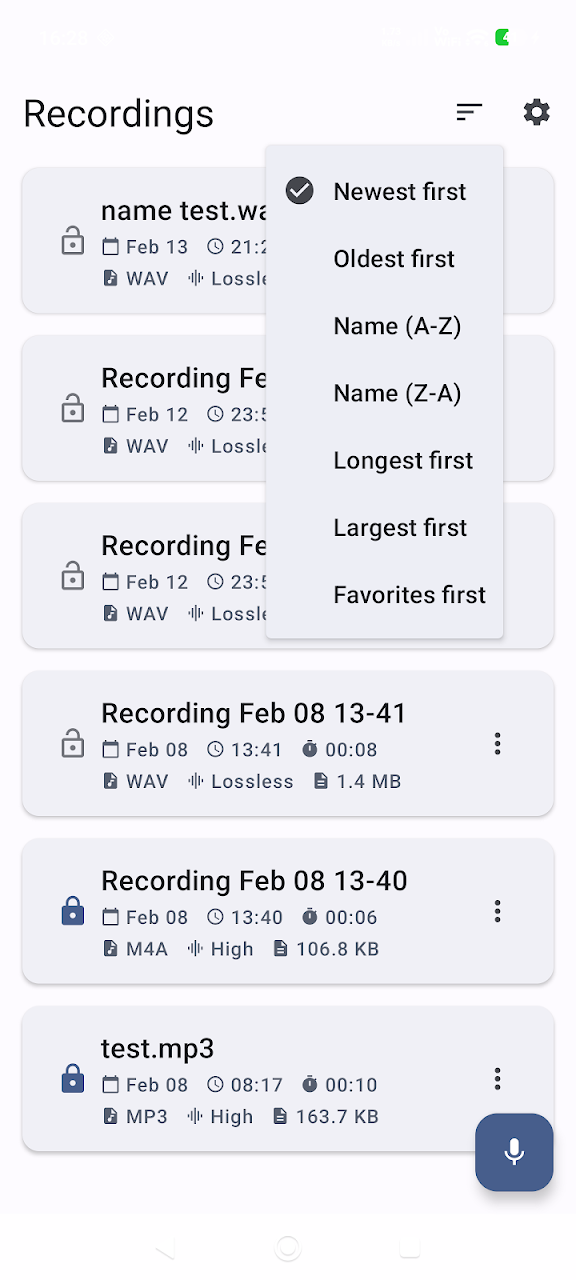
- Organized Library: Sort your files the way you want: Newest/Oldest first, Name (A-Z/Z-A), Longest duration, or Largest file size.
- Security & Privacy: Keep your recordings private with the Lock feature. Rename, add to Favorites, or view Detailed technical info for every file.
- Flexible Storage: Use "Save As" to export files to different paths or share them instantly via Email, Telegram, WhatsApp, and more.
🎨 Customizable Experience
- Theme Engine: Match your style with Light and Dark modes, or let the app follow your Android System Theme automatically.
- Fast Access: Start recording quickly with a clean interface and customizable prompts like "Ask for Filename" to keep your library organized from the start.
🔒 Your Privacy Matters
We believe your recordings are yours alone. This app works 100% offline:
- No personal data collection.
- No cloud uploads without your permission.
- All audio processing is done locally on your device.
Stop settling for basic recording apps. Download Voice Recorder today and experience the difference of a professional-grade audio tool!
Key Features & Capabilities
Data Safety Guarantee: All processed data remains strictly on your Android device. App Build Studio does not transfer, sell, or collect your files, recordings, or telemetry data to any third-party advertising or analytics networks.
Fully compliant with Google Play Data Safety policies, strict Android Scoped Storage guidelines, and GDPR requirements.
Requires Android 8.0 and up. Does not require root access. Permissions requested are strictly necessary for core functionality and can be inspected or revoked at any time in your Android Settings.
Frequently Asked Questions
Common questions and answers regarding Voice Recorder features, privacy, and compatibility.
Yes, Voice Recorder is 100% free to download and install from the Google Play Store with zero hidden subscription fees.
No. App Build Studio designs all applications with a strict 100% on-device local processing architecture. Your files, recordings, and diagnostics remain securely on your device.
Voice Recorder requires Android 8.0 and up with a lightweight download size of 11.7 MB.
Official releases and security updates for Voice Recorder are distributed directly through the Google Play Store under our verified developer account.
Explore More by App Build Studio